
Write the rule once, in plain terms
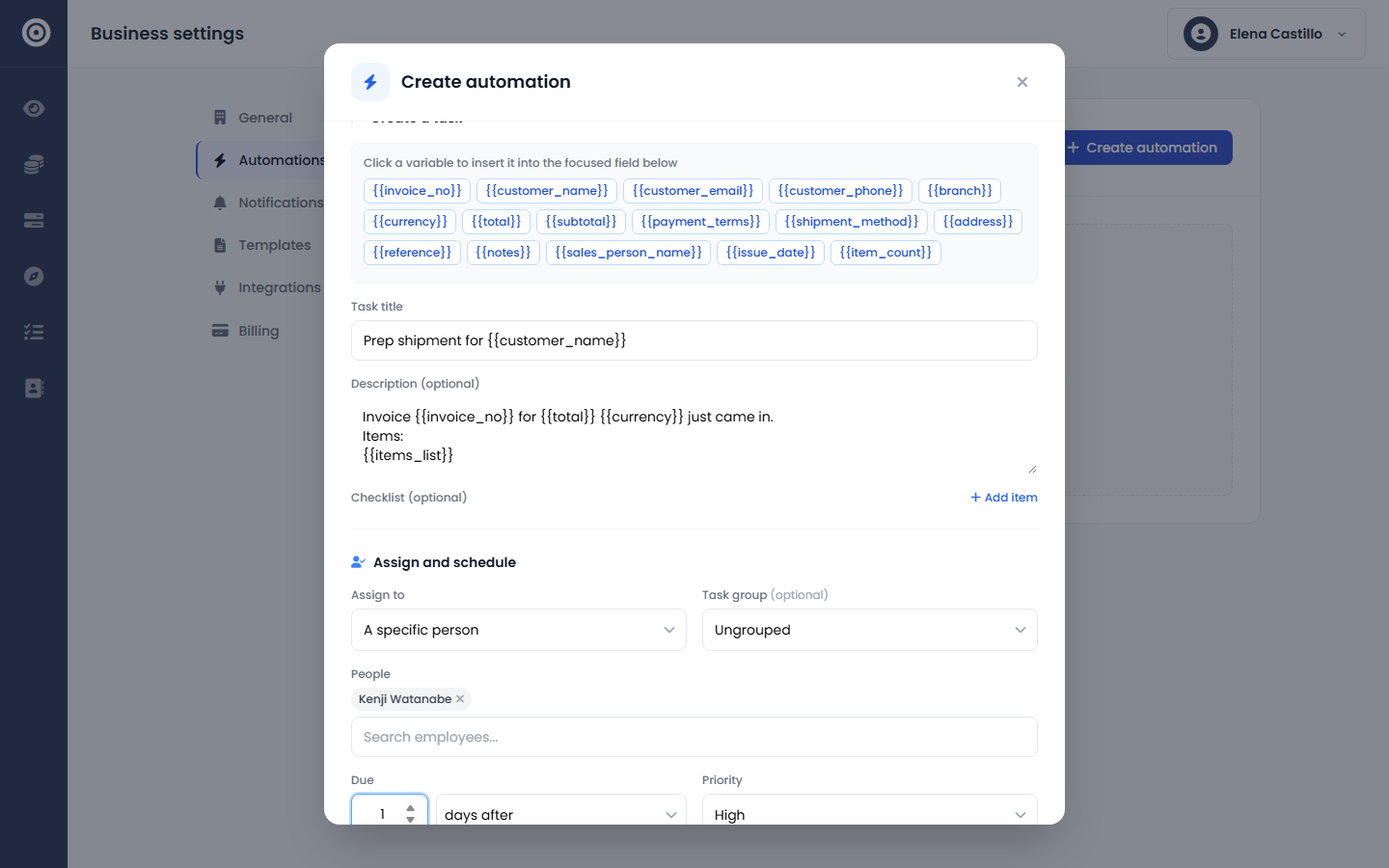
Pick a trigger — an invoice raised, a quote accepted, a task completed — then narrow it with "only if" conditions on the fields that actually matter: a customer, a branch, a total above a threshold. The task title and description are templates, so {{customer_name}} and {{total}} get filled in with the real record every time the rule fires.
- Three triggers: invoice raised, quote accepted, task completed
- Conditions scoped to each trigger's actual fields
- Task title and description templated with real record data
- Assign to a specific person or an entire user group
- Due date set as an offset — minutes, hours, or days
A real task, not a notification
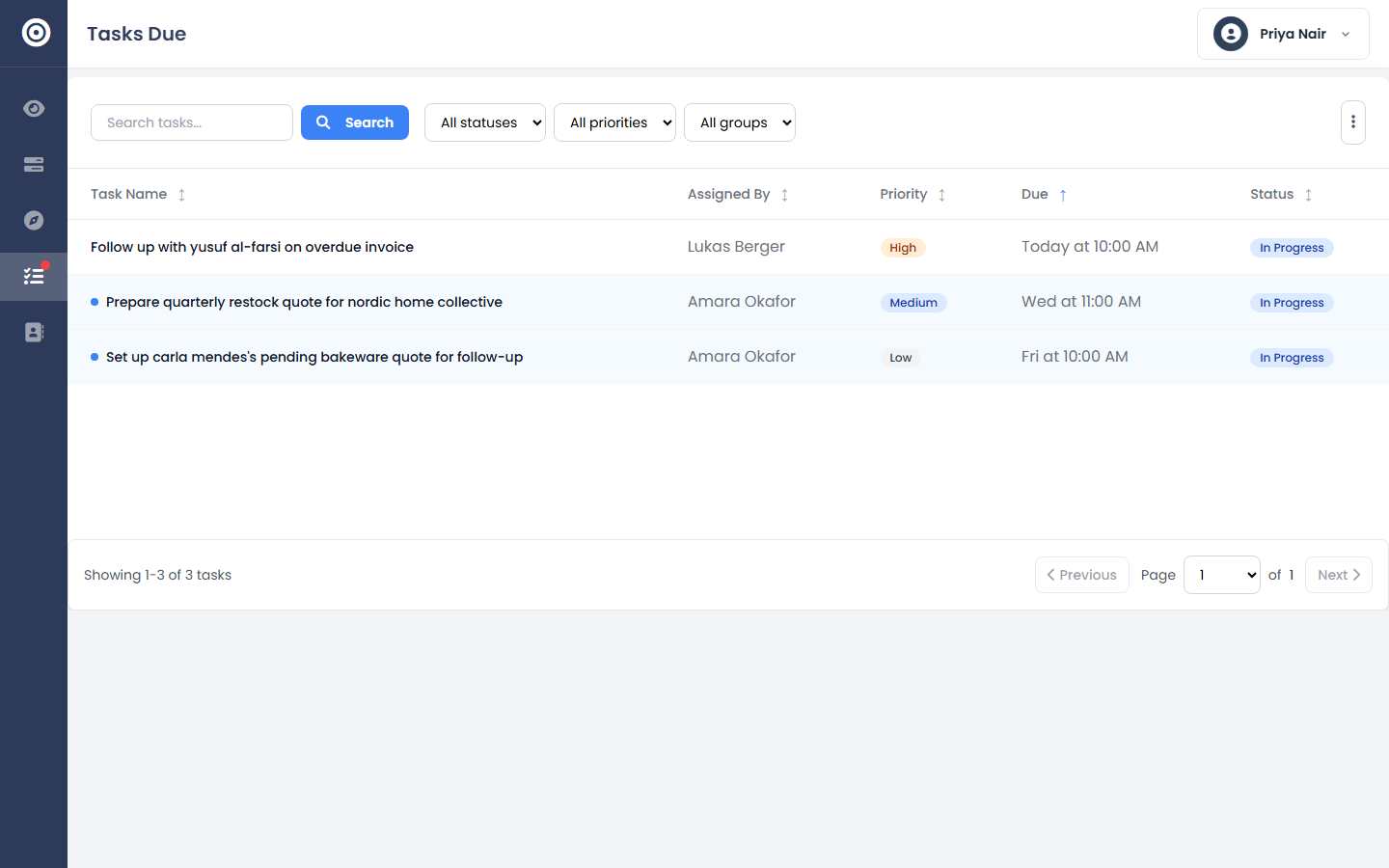
A fired rule doesn't send an email that gets lost — it creates an actual task on the shared board, with an owner, a due date, and a priority, linked straight back to the invoice or quote that triggered it. It shows up in that person's queue the same way any task assigned by a manager would.
- Tasks link back to the invoice or quote that triggered them
- Shows up in the assignee's normal task queue, not a separate inbox
- Optional checklist items attach to the task automatically
- A rule that can't find an active assignee disables itself, not silently fails
See exactly what's running, and what isn't
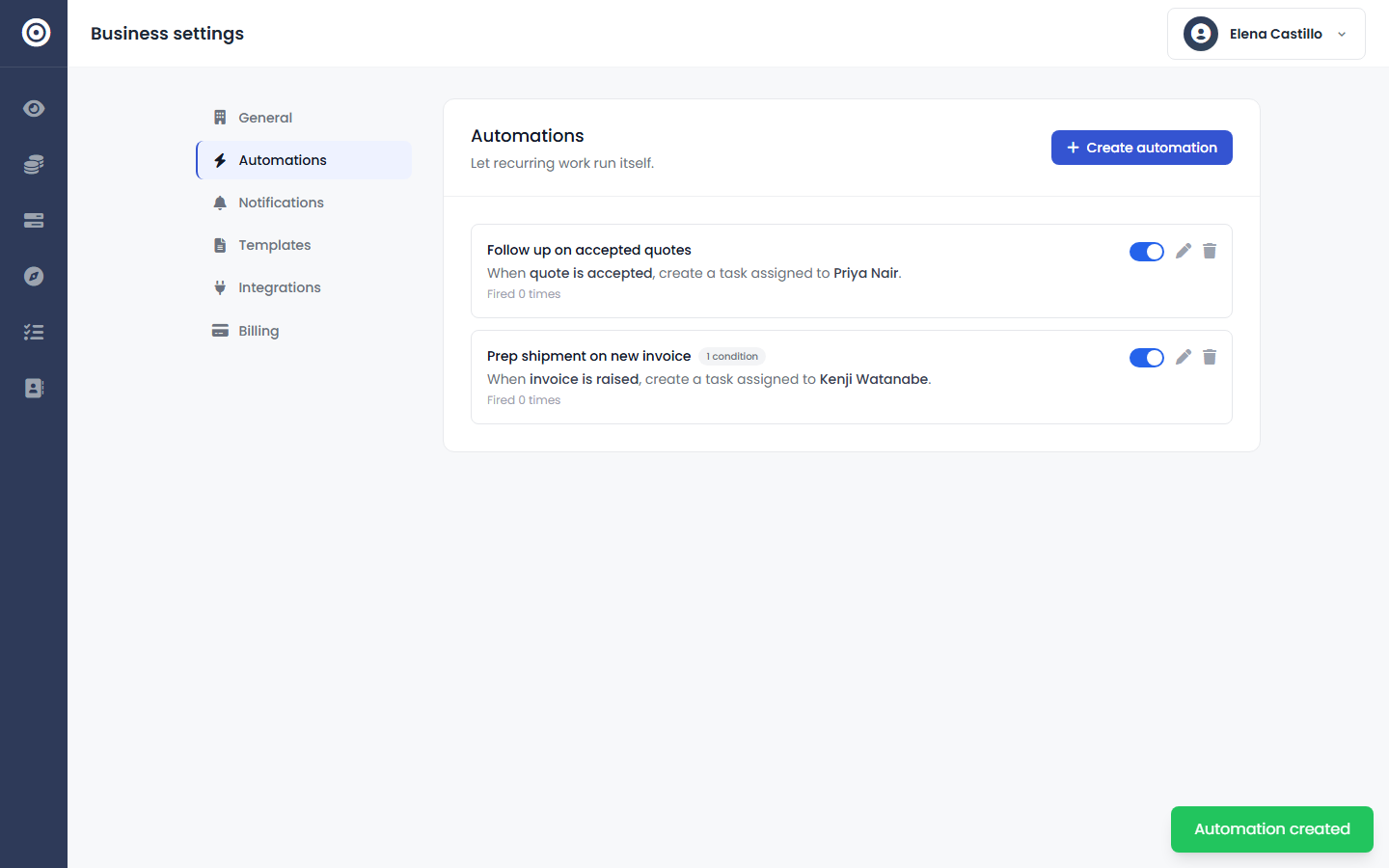
Every rule on the list shows its trigger, its condition count, who it assigns to, and how many times it's actually fired — so "is this automation doing anything" is answered at a glance, not by digging through logs. Turn any rule off without deleting it, or edit it the moment your process changes.
- Run count and last-fired timestamp on every rule
- Toggle a rule on or off without losing its configuration
- Edit a trigger, condition, or assignee any time
- A bad rule is logged and skipped, never breaks the record that triggered it
Frequently asked questions
- What can trigger an automation?
- Right now a rule can trigger when an invoice is raised, a quote is accepted, or a task is completed. Each trigger comes with its own set of fields you can filter on — a customer, a branch, a total, a due date — so a rule only fires for the records you actually care about.
- What happens when a rule fires?
- A rule creates a task: assigned to a specific person or to everyone in a user group, with a title and description you write using the triggering record's own details — the customer's name, the invoice total, the line items — dropped in automatically. You set the due date as an offset (minutes, hours, or days) and a priority.
- What if a rule is set up wrong?
- A broken or misconfigured rule is logged and skipped — it never blocks the invoice, quote, or task action that triggered it. If the person a rule assigns tasks as is no longer active, the rule disables itself automatically rather than silently misattributing work.
- Can I see which rules have actually run?
- Every rule shows how many times it's fired and when it last ran, right on the automations list — so you can tell at a glance whether a rule is doing anything, not just whether it's turned on.