


Invoicing & Quoting
Create invoices and quotes with your branding
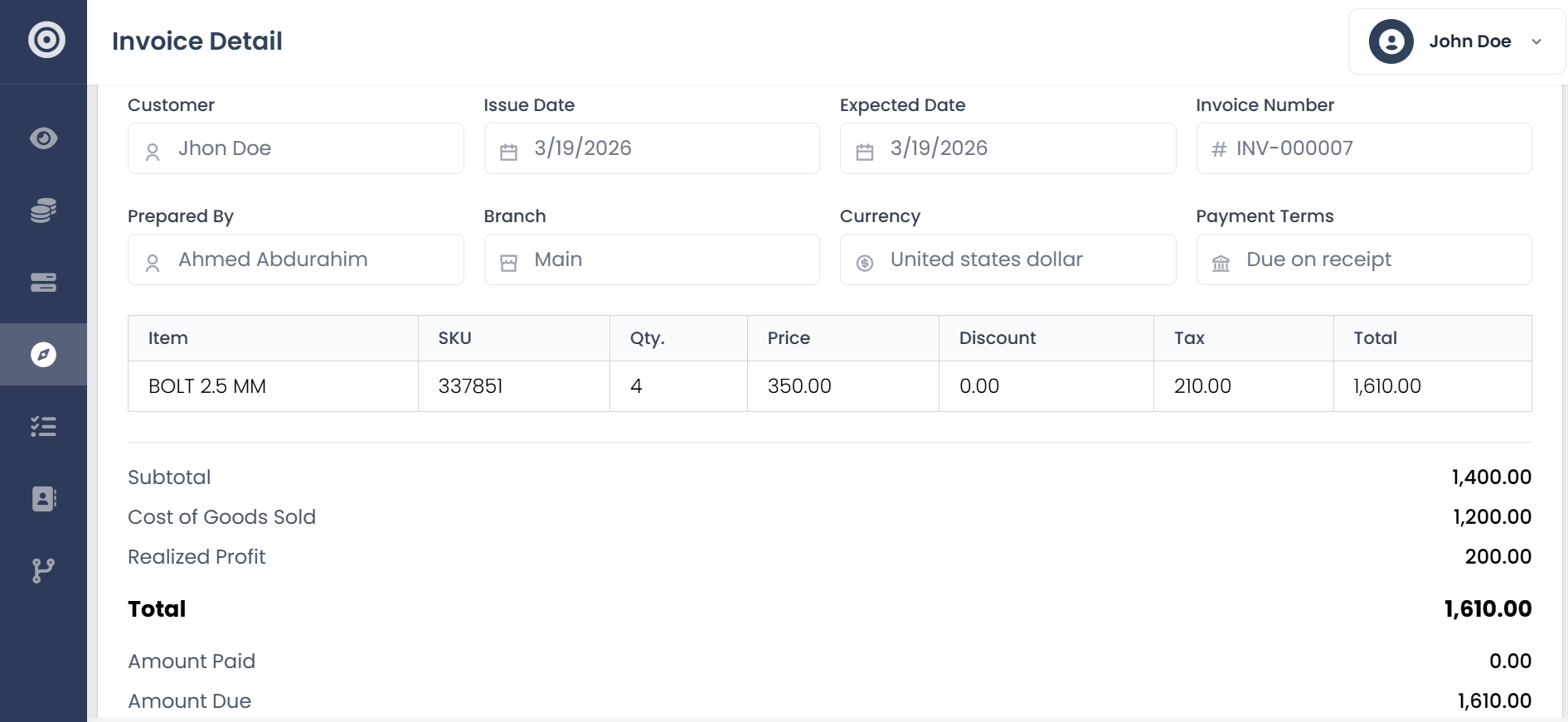
Use customizable templates with your logo, colors, and layout. Add line items, taxes, discounts, and payment terms. When a customer accepts a quote, convert it to an invoice with one click and all the details carry over.
- Customizable branded templates
- Drag-and-drop field arrangement
- One-click quote-to-invoice conversion
- Recurring invoice scheduling
- PDF generation and direct sending
Delivery & Follow-up
Send invoices and get paid faster with automated reminders
Send invoices directly from Obsidyun with a personalized message and embedded payment links. Set up automated reminders at intervals you choose, and all email activity gets logged against the customer record.
- Direct email sending from the platform
- Embedded payment links for online payments
- Automated follow-up reminders
- Personalized email messages
- Email activity logging per customer
Credit Management
Let customers buy on credit without losing control
Set credit limits per customer and available credit updates in real time as invoices are issued and payments come in. When a customer exceeds their limit, the system prevents new credit sales until balances are settled.
- Per-customer credit limits
- Real-time available credit calculation
- Automatic credit hold on exceeded limits
Payments & Statements
Track every payment and generate customer statements
Record full and partial payments with support for multiple payment methods. Outstanding balances update automatically. Generate customer statements that summarize invoices, payments, and balances for any period, then export as PDF or send directly.
- Full and partial payment recording
- Multi-method payment tracking
- Automatic balance updates
- Customer statement generation
- Statement export and direct sending
What changes when billing runs itself
Faster invoicing, fewer forgotten payments, and better cash flow across the board.
Invoices go out in seconds
Pre-filled details and saved templates mean creating and sending takes under a minute.
Your brand stays front and center
Your logo, your colors, your layout. Every document looks like it came from an established firm.
No more manual bookkeeping
Every invoice automatically creates the right journal entries in your accounting ledger.
Bill in any currency with the right tax rates
Multi-currency and multi-tax support built in for businesses that operate across borders.
Frequently asked questions
- How customizable are the invoice fields?
- You can add, remove, and rearrange fields using a drag-and-drop editor. Custom branding, notes, payment terms, and line item descriptions are all supported.
- Can I automate sending based on status?
- Yes. You can set up triggers to send invoices or reminders automatically based on order or payment status.
- Are payment links included?
- Yes. You can add payment links directly to your invoices so customers can pay online.
- Does it support recurring invoices?
- Yes. Set up recurring billing for retainer or subscription clients and schedule invoices to go out automatically on the dates you choose.