
Team & Permissions
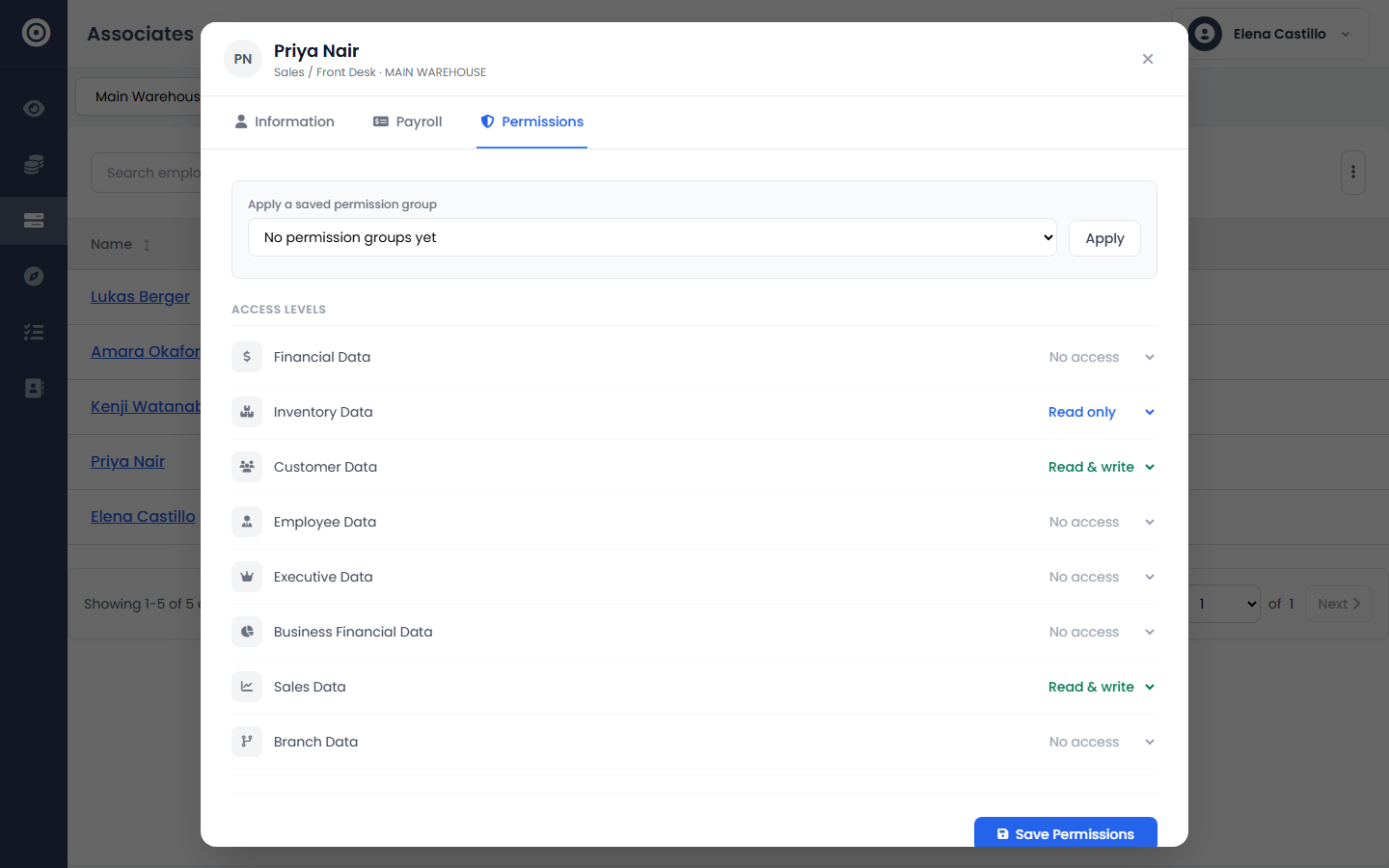
Fine-tune permissions
Grant exactly the access each person needs, per data category — not a fixed role.
6 min read01
Open their permissions
There's no fixed "Admin" or "Manager" tier. Each person gets an independent level — None, Read, or Read & Write — set separately for Financial, Inventory, Customer, Employee, and Executive data.
app.obsidyun.com
02
Set access per category
Give a warehouse lead Read & Write on Inventory and nothing on Financial. Give a bookkeeper Read & Write on Financial and nothing on Employee data. Mix and match until it matches the actual job.
app.obsidyun.com
03
Save it as a preset
If you're about to hire three more cashiers with the same access, save the combination as a reusable group. It's a shortcut, not a fixed role — you can still hand-edit anyone individually afterward.
app.obsidyun.com